If you’ve ever stood in a grocery store and watched a static promotional graphic snap to a short, animated ad, or lingered in a corporate lobby where a live stream of the company’s downtown construction project plays on a large, seamless screen, you’ve experienced what an indoor fixed LED display can do. As a supplier who’s installed these screens in everything from luxury retail spaces and corporate headquarters to college lecture halls and event venues across North America, I can tell you that when a client calls to ask, “How much does this cost?” they’re almost always thinking upfront hardware and installation fees. But the real, long-term cost of maintaining an indoor fixed LED display is where most first-time buyers get tripped up—and where I’ve spent years advising clients to plan ahead, not just for the purchase, but for the five, 10, even 15 years they’ll likely use the screen. Indoor Fixed LED Display

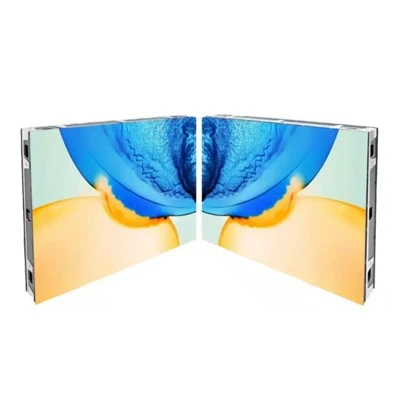
Let’s start with the basics: a fixed indoor LED display isn’t a plug-and-play TV. It’s a modular system made up of individual LED panels, power supplies, control cards, and a mounting frame that gets bolted into walls or suspended from ceilings. “Fixed” means it stays in one location permanently—no moving it for trade shows or seasonal displays—so its maintenance schedule is consistent, tailored to the environment it lives in, and tied directly to how often it’s used. Over the 10-year lifespan I typically guarantee for our screens, maintenance costs can add up to 15 to 25% of the original hardware purchase price, depending on how well a client prepares at installation. That number shocks a lot of people at first, but when you break it down by category, it makes sense.
First, there’s regular preventive maintenance, the kind that keeps small issues from turning into expensive replacements. Most new clients ask if they need to hire a third-party tech, and my answer is: for the first year, probably not, because every screen we supply comes with a complimentary annual checkup. After that, it depends on the space, but I always recommend a monthly visual check and a bi-annual deep clean. Let’s talk about cleaning, because that’s one of the most overlooked maintenance tasks. Indoor LED displays don’t get rained on, but they get dust. If a screen is in a retail store with foot traffic coming and going, or a lobby near a busy elevator, dust can settle on the front of the panels, clog the gaps between modules, and even get pulled into the power supplies if the ventilation isn’t clear. I once had a client who skipped cleaning their 2mm pitch display (the kind with small, tight gaps for high resolution) in a busy mall. After 18 months, the dust had built up so much that it dimmed the brightness by almost 20% in some areas, and they had to pay for a full panel tear-down and professional cleaning that cost more than $1,200. Compare that to the $300 a year it would have cost to hire a local tech to do a gentle, static-free clean every three months, and you see the tradeoff.
Then there’s the actual inspection part. A technician will check for loose cables, test each LED node to make sure none are burned out, calibrate color balance across all the panels (they can look slightly off even to the untrained eye if not aligned), and test the ventilation system. Power supplies and control cards, the unsung parts of the display, need to be checked for overheating—something that’s more common in spaces with poor air flow, like windowless conference rooms with bad HVAC. I once installed a display in a small startup’s basement office; they didn’t upgrade their HVAC when they moved in, and within two years, three power supplies died because they were running 24/7 in 90-degree heat. Replacing those four power supplies (each costs about $250 for an indoor model) plus labor to access the screen behind a wall cost them over $1,500. If we had done a mid-year inspection, we would have noticed the ventilation blockage and recommended a small fan upgrade for $100, saving them thousands.
Next, there are replacement parts, which are non-negotiable over the life of the screen. LED nodes themselves are surprisingly durable—our standard indoor panels have a lifespan of 50,000 to 100,000 hours, which translates to five to 10 years of 12-hour daily use, longer if it’s only used 8 hours a day. But the parts that power the nodes don’t last as long. Control cards, the brains that tell each LED what color to show, usually need to be replaced every seven to nine years, and power supplies every five to seven. A rule of thumb I share with clients is budgeting 5% of the original hardware cost per year for replacement parts. So if you buy a 100-square-meter indoor fixed display for $20,000, that’s $1,000 a year for parts. Over 10 years, that’s $10,000, which lines up with the earlier 15 to 25% figure when you add in labor.
Labor is another big piece, and it’s not just the cost of hiring a tech. Access to the display matters. If a screen is mounted on a standard wall with a 10-foot ceiling, changing a control card takes 30 minutes, and labor is around $150 an hour. But if it’s a large display suspended 20 feet in the air in a high-ceiling lobby, you need a lift, which adds $75 to $150 an hour to the cost, plus extra time to secure the lift and work safely. I had a client last year who tried to save money by installing a 15-foot-wide screen in their small event space with no access panels. When a power supply went out, we had to remove a 4-foot section of drywall, cut a new access panel, replace the part, and patch the wall—costing them over $2,800. If they had planned for access panels at installation, that same repair would have cost less than $200 in parts and 30 minutes of labor. That’s why we always include a pre-installation consultation where we talk about access points as part of the maintenance plan, not an afterthought.
Then there’s the hidden cost: content management system (CMS) updates and training. Most indoor fixed LED displays aren’t set it and forget it. To show ads, events, or live feeds, you need a CMS—software that runs on a computer or tablet to upload and schedule content. A lot of first-time buyers think this software is free, but basic licenses for a CMS that can handle large, high-resolution displays start at $500 a year, and advanced versions that let you stream live video or integrate with social media go up to $2,000 a year. Plus, if your team isn’t trained to use the CMS, you’ll have to pay for training sessions, around $300 per person, or monthly support fees if something goes wrong. I’ve had clients buy a display, then realize they don’t have time to learn the CMS, so they hire a third-party company to update content for them at $100 an hour. That can add $1,200 a year to maintenance costs if you’re updating once a week.
Wait, but what about energy costs? That’s another question I get all the time. Indoor LED displays are way more energy-efficient than old LCD or plasma screens, but they still use power. A typical 100-square-meter indoor display uses around 1,200 watts when at full brightness, which is less than a space heater, but that adds up. If a screen runs 12 hours a day, 5 days a week, that’s 3,120 kilowatt-hours a year. At the average U.S. commercial electricity rate of 15 cents per kilowatt-hour, that’s $468 a year. If you run it 24/7, that jumps to $2,246 a year. Energy efficiency is something to plan for when choosing a display model—we offer low-power LED panels that cut energy use by 30% without sacrificing brightness, which can save you hundreds a year and lower your long-term maintenance costs because they run cooler, reducing wear on power supplies.
Now, let’s talk about variables that make this number higher or lower, because no two maintenance plans are the same. A display in a climate-controlled corporate lobby that’s used only for 8 hours a day showing company news, a live stock ticker, and occasional presentations will have much lower costs than a display in a 24-hour retail store showing ads and promotions. The retail display might need more frequent cleaning, more power supply replacements, and more frequent content updates, adding an extra $500 to $1,000 a year in maintenance costs. On the flip side, a display in a protected, low-traffic space like a university lecture hall will need almost no extra labor beyond a yearly checkup, so maintenance costs might be as low as $800 a year for a $20,000 display.
I also can’t overstate the value of a good service agreement. Most suppliers, including us, offer annual or multi-year service contracts that cover inspections, cleaning, emergency repairs, and discounted parts. A 5-year service agreement for a $20,000 display usually costs between $4,000 and $6,000, which is cheaper than paying for each maintenance task individually. For small businesses that don’t have an in-house tech team, this is a no-brainer—it removes the guesswork of budgeting for maintenance and ensures you have someone to call if the screen breaks overnight, which is huge for retail stores that can’t afford to have a blank display when they open at 9 a.m.
Let me wrap this up with a story that sums up everything I’ve learned over the years. A small boutique hotel in Austin reached out to me two years ago, asking about a 6-foot-wide indoor fixed LED display for their lobby. They were on a tight budget, so they tried to cut costs by skipping access panels, opting for the cheapest cleaning option, and declining a service contract. Six months after installation, the power supply burned out, and since there was no access panel, they had to pay $1,800 to fix it. Then, a year later, their cleaning tech damaged two LED nodes because they didn’t know the right static-free tools, costing another $700. By the end of the second year, they’d spent $2,500 on unexpected maintenance, almost as much as the $3,000 they saved by cutting corners upfront. If they had planned properly, with access panels, professional cleaning, and a basic service agreement, their maintenance costs would have been around $600 for those two years. That’s the difference between buying a screen and owning one.
At the end of the day, the cost of maintaining an indoor fixed LED display isn’t just about the parts you replace or the tech you hire. It’s about planning for the long haul, thinking about access, environment, and how you’ll use the display, not just what it costs to turn it on for the first time. I’ve installed hundreds of these screens, and the clients who are happy with their investment years later are the ones who planned for maintenance from day one, not as an afterthought.
If you’re in the market for an indoor fixed LED display and want to get a clear, customized breakdown of what to expect for maintenance, don’t hesitate to reach out. We can walk you through site-specific factors, budget for the years ahead, and help you build a plan that fits your space and your needs. Whether you’re outfitting a small retail store, a large corporate campus, or a university auditorium, we’re here to help every step of the way.
Indoor Fixed LED Display References
- National Association of Signage and Display Manufacturers. (2022). Indoor LED Display Maintenance Guidelines.
- Energy Star. (2023). Commercial LED Display Energy Efficiency Report.
- DisplaySearch. (2021). Global Fixed LED Display Market and Lifecycle Cost Analysis.
- Occupational Safety and Health Administration. (2022). Working at Height Safety Guidelines for Display Installation and Maintenance.
- Retail Industry Leaders Association. (2022). In-Store Digital Display Maintenance Best Practices.
Shenzhen TrueColor LED Co., Ltd.
As one of the most professional indoor fixed LED display manufacturers in China, we also support customized service. We warmly welcome you to wholesale durable indoor fixed LED display for sale here from our factory. If you have any enquiry about cooperation, please feel free to email us.
Address: 3/F, Bldg A9, 10 Longyi Rd, Fuyong Sub-dist, Bao’an Dist, Shenzhen
E-mail: sales@truecolor-led.com
WebSite: https://www.truecolor-led.com/
